
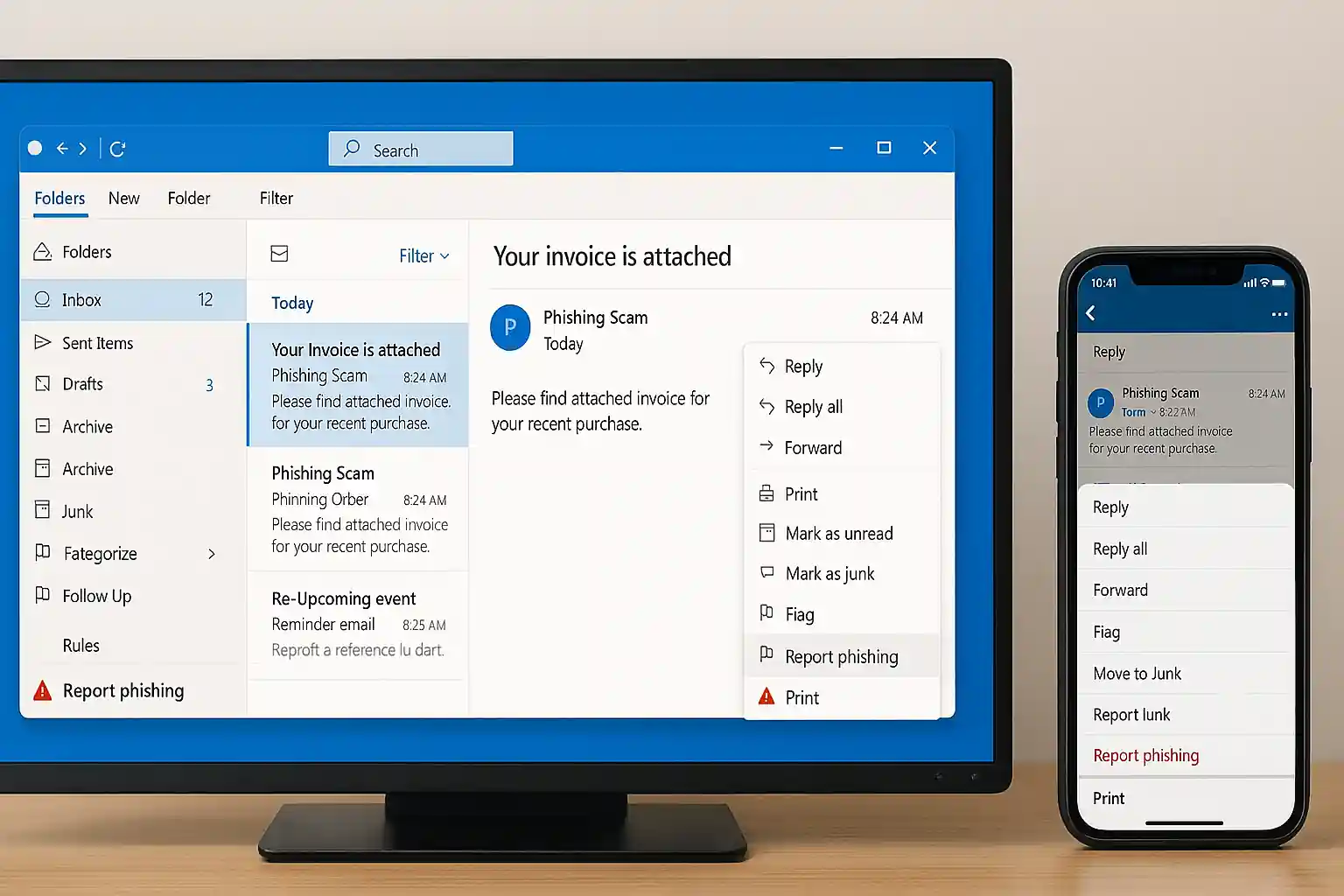
How to Stop Spam Emails: The Ultimate Guide to Stop Spam, Junk Mail, and Getting Spam Emails for Good
If you’re searching for how to stop spam emails, you’re not alone. Millions of people deal with spam, junk mail, and unwanted messages flooding their inbox every single day. Whether you use Gmail, Yahoo Mail, or another email client, getting spam emails can be frustrating, risky, and time-consuming.
At mail experts, we specialize in helping individuals and businesses stop spam emails permanently using advanced spam filter solutions, proven strategies, and privacy-first systems. If your inbox is cluttered with spam, this guide will show you the exact way to stop spam, protect your email address, and regain control.
If you want immediate protection, explore our professional Best Email Spam Filter Service here:
👉 https://mailexperts.io/services/best-email-spam-filter/
You can also read our detailed blog on removing unwanted email step-by-step here:
👉 https://mailexperts.io/get-rid-of-spam-emails/
What Is Spam and Why Are You Getting Spam Emails?
Understanding Spam, Spam Email, and Junk Mail
Spam refers to unsolicited messages sent in bulk to thousands or even millions of recipients. A spam email is any unwanted email that lands in your inbox without permission. This can include:
-
Promotional mailing messages
-
Fake lottery wins
-
Phishing scams
-
Malicious attachments
-
Junk email advertisements
-
Fake credit card alerts
Most spam is sent by spammers who use automated tools and massive databases of email addresses gathered from data breaches, online services, mailing lists, and insecure online accounts.
When your inbox is cluttered with spam, it becomes harder to identify legitimate emails from service providers, customers, or friends.
Why You’re Getting Spam Emails in Your Inbox
Getting Spam: The Real Reasons Behind It
If you’re getting spam emails constantly, here’s why:
1. Your Email Address Was Exposed in a Data Breach
When a database from an online shopping site, advertiser, or subscription platform is compromised, attackers gain access to email addresses and sensitive information.
2. You Joined a Mailing List
Many marketers sell mailing lists to other marketers. Even reputable companies may share your information depending on their privacy policies.
3. You Clicked a Malicious Link
Spammers can use tracking links to confirm your email address is active.
4. You Used the Same Email for Everything
Using one email account for social media, online services, newsletters, and shopping increases risk.
5. Social Engineering Tactics
An attacker may use phishing emails pretending to be from a trusted sender’s domain.
How to Stop Spam Emails and Stop Getting Spam for Good
If you’re serious about learning how to stop spam emails, follow these steps carefully.
Mark Email as Spam – The First Way to Stop
Every major email provider like Gmail and Yahoo Mail has a built-in spam filter.
How to Stop Spam Emails in Gmail
-
Open the spam email.
-
Click “Report Spam.”
-
Gmail moves it to the spam folder.
-
Future emails from that sender may be blocked automatically.
How to Stop Spam Emails in Yahoo Mail
-
Select the unwanted email.
-
Click “Spam.”
-
Add to blocked senders.
This helps train the spam filter to recognize unsolicited messages.
Use a Professional Spam Filter Solution
Built-in filters aren’t enough. Gmail and Yahoo Mail still allow spam in your inbox because spammers constantly change tactics.
At mail experts, we provide enterprise-grade spam filter systems designed to:
-
Block malicious software
-
Detect phishing and scam attempts
-
Prevent spam in your inbox
-
Stop receiving spam emails permanently
-
Protect confidential and sensitive information
If you want to stop spam emails professionally:
👉 https://mailexperts.io/services/best-email-spam-filter/
Unsubscribe From Mailing Lists
Many unwanted email messages are simply marketing newsletters.
How to Safely Unsubscribe:
-
Scroll to the bottom.
-
Click “Unsubscribe” or “Opt-out.”
-
Avoid clicking suspicious unsubscribe links in obvious scam emails.
Be cautious. In malicious spam, unsubscribe links can confirm to spammers that your email address is active.
Stop Getting Spam Emails by Blocking the Sender
If you want to block specific senders:
-
Add them to blocked senders.
-
Create rules in your email client.
-
Filter by sender’s domain.
This is especially effective against repeat junk mail senders.
Create Email Filters to Stop Spam Emails Automatically
How to Set Up a Filter in Gmail:
-
Click Settings.
-
Go to Filters.
-
Create a new filter.
-
Add keywords like promotion, credit card, lottery.
-
Send directly to spam folder.
Filters help stop getting spam emails before they reach your inbox.
Stop Receiving Spam Emails by Protecting Your Email Address
The best way to stop spam is prevention.
Use a Secondary Email Account to Protect Yourself
Create a secondary email account to protect your main email address.
Use:
-
Primary email for banking and confidential communication.
-
Different email for online shopping.
-
Another different email for subscriptions.
This limits exposure.
Use Variations of Email Addresses
Some email providers allow variations like:
name+shopping@gmail.com
name+news@gmail.com
This helps identify which service providers leaked your email address.
Strengthen Privacy Settings
Adjust privacy settings on social platforms and online services.
-
Disable public visibility of your email address.
-
Review privacy policies.
-
Opt-out of advertiser tracking.
-
Limit access to personal information.
Advanced Strategies to Stop Getting Spam Emails
Use Strong Passwords
Weak passwords make it easy for attackers to access your email account.
Use:
-
12+ characters
-
Upper/lowercase
-
Numbers
-
Symbols
Never reuse passwords across online accounts.
Enable Two-Factor Authentication
This protects your mailbox from being compromised and used to send unsolicited messages.
Avoid Clicking Suspicious Attachments
Spam emails often include:
-
Attachment infected with malware
-
Links to malicious software
-
Fake download prompts
Never download unknown attachments.
Recognize Phishing and Scam Emails
Spam often includes:
-
Fake credit card alerts
-
Lottery winnings
-
Urgent account warnings
-
Requests for sensitive information
These use social engineering tactics.
Why Gmail and Yahoo Mail Still Allow Spam
While Gmail and Yahoo Mail have built-in spam filter systems, spammers constantly evolve.
Spammers can use:
-
Rotating domains
-
Fake sender names
-
Hidden redirect links
-
Compromised servers
That’s why advanced filtering is essential.
How Mail Experts Help You Stop Spam Emails Permanently
At mail experts, we provide commercial-grade solutions designed for individuals and businesses.
Our System:
-
AI-powered spam filter
-
Domain-level protection
-
Malicious software detection
-
Real-time database updates
-
Advanced sender verification
-
GDPR-compliant protection
-
Protection against phishing and scam attacks
We protect:
-
Personal email accounts
-
Corporate mailbox systems
-
Online services
-
E-commerce stores
-
Marketers and advertisers
-
Service providers
Your inbox should not be cluttered with spam. Let us help you stop spam emails today.
👉 Protect your inbox now:
https://mailexperts.io/services/best-email-spam-filter/
Stop Getting Spam Emails – Frequently Asked Questions
Why am I suddenly getting spam emails?
Possible reasons:
-
Data breach
-
Shared mailing list
-
Public email address
-
New online shopping account
-
Subscription to newsletter
Is marking email as spam enough?
No. It helps but does not stop spam permanently.
Can I completely stop receiving spam emails?
Yes — with layered protection, advanced spam filter tools, strong privacy settings, and professional support from mail experts.
The Real Cost of Ignoring Spam
Spam is not just junk mail.
It can:
-
Steal credit card information
-
Install malicious software
-
Leak personal information
-
Compromise confidential data
-
Damage your brand reputation
-
Disrupt your email client
Businesses lose millions because attackers use spam email campaigns to spread viruses and infected with malware attachments.
Commercial Protection for Businesses
If you run:
-
E-commerce store
-
SaaS platform
-
Marketing agency
-
Corporate domain
-
Large mailing list
-
Online services
You need enterprise spam protection.
Our system blocks:
-
Spam sent in bulk
-
Phishing campaigns
-
Malicious attachment downloads
-
Social engineering attacks
-
Unsolicited messages
-
Junk email promotions
We help businesses stop spam emails at scale.
Take Control of Your Inbox Today
Learning how to stop spam emails is one thing. Implementing real protection is another.
At mail experts, we combine:
-
Advanced spam filter systems
-
GDPR-compliant privacy protection
-
Email provider optimization
-
Domain-level defense
-
Database leak monitoring
Don’t let your inbox get bombarded with spam.
Don’t risk personal information.
Don’t let malicious software infect your system.
Don’t allow unsolicited messages to compromise your security.
Ready to Stop Spam Emails?
If you want to:
✔ Stop spam
✔ Stop getting spam emails
✔ Stop receiving spam emails
✔ Protect your email address
✔ Eliminate junk mail
✔ Secure Gmail and Yahoo Mail
✔ Prevent spam in your inbox
✔ Block malicious spam email
✔ Secure your mailing systems
Then it’s time to work with mail experts.
👉 Get advanced spam protection now:
https://mailexperts.io/services/best-email-spam-filter/
👉 Learn how to remove unwanted email instantly:
https://mailexperts.io/get-rid-of-spam-emails/
Final Word: The Only Real Way to Stop Spam Emails
Spam will never stop on its own.
Spammers constantly innovate.
Attackers constantly evolve.
Marketers constantly send promotions.
The only true way to stop spam emails is layered defense combined with professional-grade spam filter technology.
Let mail experts secure your inbox today.
Because your email account deserves protection.