
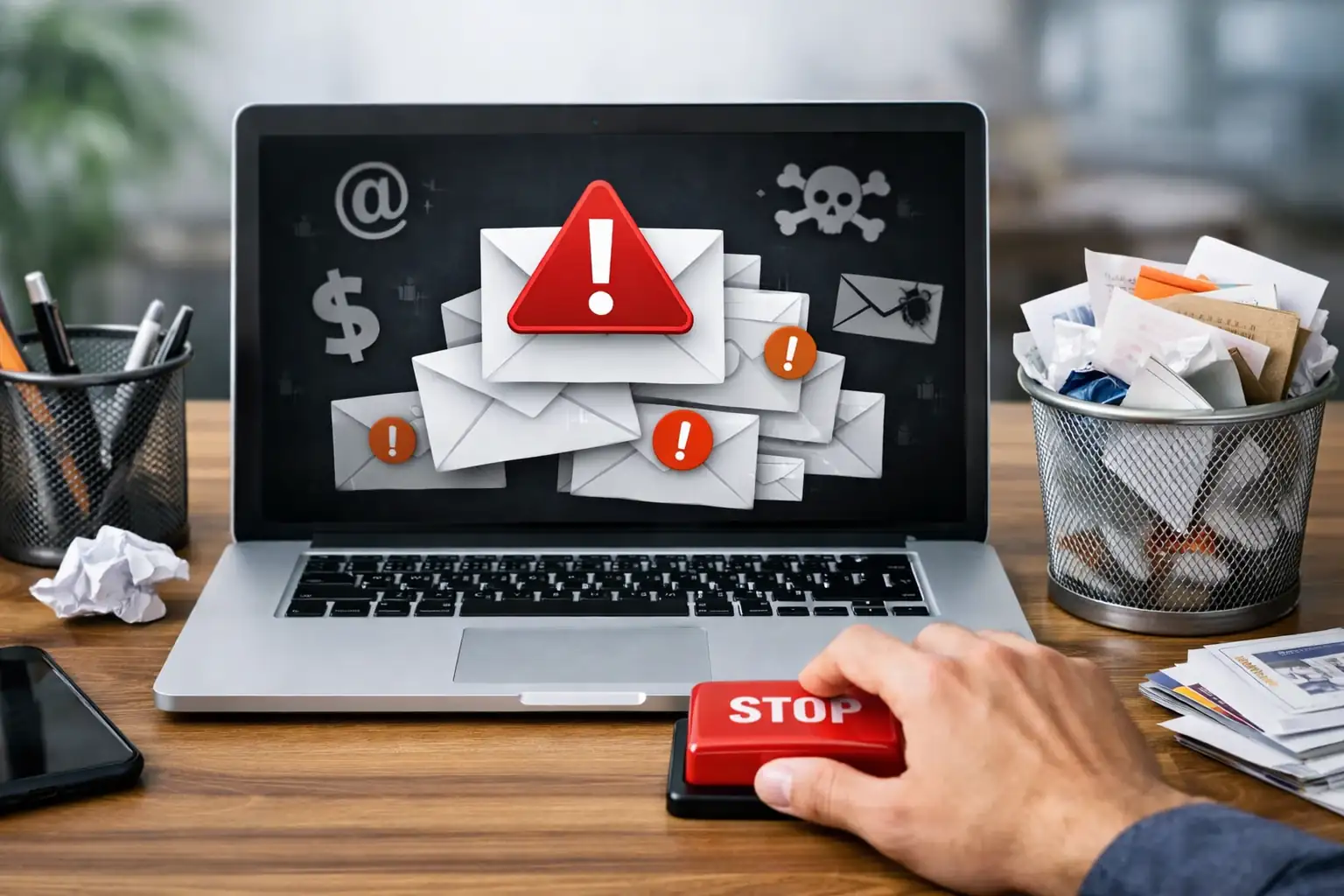
How to Stop Getting Spam Emails and Junk Mail Permanently
Email spam is no longer just an annoyance — it is a serious security, privacy, and productivity problem. If you are wondering why you’re getting spam emails, how your email address ended up on junk lists, or how to stop excessive junk emails for good, this guide is written for you.
At Mail Experts, we help individuals and businesses block spam, secure email accounts, and get rid of unwanted messages permanently using enterprise-grade protection. This page explains everything you need to know — from basic fixes to advanced email security strategies.
Why Am I Getting So Many Spam Emails?
Spam emails, junk mail, and unsolicited messages are the result of how modern email works. Once your email address is exposed, it can be harvested, sold, reused, and targeted repeatedly.
Common Reasons You’re Getting Spam Emails
1. Your Email Address Was Shared or Sold
Many websites, apps, and third parties collect email addresses through sign-ups, downloads, and mailing lists. Even legitimate companies sometimes share data with partners.
2. You Subscribed Without Realizing It
Promotional campaigns, newsletters, and offers often include hidden opt-ins. Over time, these create many email subscriptions you never intended.
3. Your Email Appeared in a Data Breach
If a website you used was hacked, your email address may now be circulating among spammers.
4. Spammers Harvest Email Addresses
Spammers use automated bots to harvest email addresses from:
-
Websites
-
Forums
-
Social media
-
Public contact pages
5. You Replied to Spam or Clicked a Link
Replying, clicking unsubscribe links in suspicious emails, or opening attachments can confirm your address is active.
Understanding the Difference Between Spam, Junk, and Legitimate Email
What Is Spam Email?
Spam emails are unsolicited messages sent in bulk, often promoting products, scams, or malicious content.
What Is Junk Email?
Junk email refers to messages your email provider identifies as low-quality, promotional, or unwanted and sends to the junk email folder.
Legitimate Email vs Spam
Not all promotional mail is spam. Legitimate companies send newsletters, updates, and campaigns you knowingly subscribed to. Spam emails typically:
-
Come from unknown senders
-
Contain suspicious links or attachments
-
Try to steal personal information
-
Deliver malware, phishing, or viruses
How to Stop Getting Spam Emails and Block Junk Mail
Stopping spam emails requires both immediate actions and long-term protection. Let’s start with the basics.
Block Spam Emails Using Built-In Email Settings
Most email providers include basic spam filters and blocking tools.
Block Spam in Gmail
Gmail uses automated spam detection, but manual actions improve results.
Steps:
-
Open a spam email
-
Click “Report spam”
-
Move messages to the junk folder
-
Block the sender
Gmail learns from every action, improving future filtering.
Block Spam in Microsoft Outlook
Outlook allows you to:
-
Block specific email addresses
-
Block entire domains
-
Create rules to delete unwanted messages
Mark spam messages as spam instead of deleting them manually.
Yahoo Mail Spam Blocking
Yahoo Mail lets you:
-
Mark messages as spam
-
Block senders
-
Adjust spam filter strength in settings
Stop Excessive Junk Emails by Unsubscribing Correctly
Unsubscribing works only when done safely.
When It’s Safe to Unsubscribe
You can unsubscribe if:
-
The sender is a legitimate company
-
You recognize the mailing list
-
The email follows a clear privacy policy
When You Should NOT Unsubscribe
Never unsubscribe if:
-
The email looks suspicious
-
The sender is unknown
-
The message contains malware or phishing attempts
Unsubscribing from spam can increase junk emails by confirming your email account is active.
Use Spam Filters to Get Rid of Junk Email Automatically
A spam filter analyzes incoming mail and blocks unwanted emails before they reach your inbox.
How Spam Filters Work
Spam filters detect:
-
Known spammer domains
-
Suspicious email patterns
-
Malicious attachments
-
Phishing attempts
-
Unusual sender behavior
Limitations of Free Spam Filters
Basic filters struggle with:
-
Advanced phishing
-
Zero-day malware
-
Business email compromise
-
Sophisticated spoofing
This is where professional email security becomes essential.
Check Your Email Account Security Settings
Weak security allows hackers and spammers to abuse your account.
Change Your Password Immediately
Use a strong password that includes:
-
Upper and lowercase letters
-
Numbers
-
Symbols
Never reuse passwords across services.
Enable Two-Factor Authentication
Two-factor authentication adds an extra verification step, preventing unauthorized access even if your password is compromised.
Review Privacy Settings
Check your:
-
Email provider’s privacy settings
-
App permissions
-
Third-party integrations
Remove access you no longer need.
Why You’re Still Getting Spam After Blocking Senders
Blocking individual senders helps, but it’s not enough.
Reasons Blocking Doesn’t Fully Work
-
Spammers rotate domains
-
New email addresses are generated instantly
-
Sender spoofing bypasses basic blocks
To stop excessive junk emails, you must block spam at the gateway level.
How Malware and Phishing Increase Spam Emails
Malware Can Leak Your Email Address
Malicious attachments and infected downloads can:
-
Harvest personal information
-
Access contact lists
-
Send spam using your email account
Phishing Emails Create Long-Term Spam Problems
Phishing attacks trick users into:
-
Entering passwords
-
Sharing phone numbers
-
Confirming email addresses
Once compromised, spam volume increases dramatically.
Report Spam Emails to Protect Yourself and Others
Report Spam to Your Email Provider
Always mark messages as spam instead of deleting them.
Report It to the FTC
In the U.S., spam can be reported to the FTC to help combat large-scale spam campaigns.
Why Personal Fixes Are Not Enough for Businesses
If you manage a business email account, personal spam blocking methods are insufficient.
Business email faces:
-
Targeted phishing
-
Invoice fraud
-
Credential theft
-
Impersonation attacks
This is why companies rely on advanced email security services.
👉 Learn more about enterprise-level protection here:
Email Security for Enterprises
https://mailexperts.io/services/email-security-for-enterprises/
How Mail Experts Stops Spam Emails Permanently
Mail Experts provides advanced email protection that blocks spam before it reaches your inbox.
What We Do Differently
-
Cloud-based email security
-
AI-driven spam detection
-
Real-time malware scanning
-
Advanced phishing protection
-
Domain and sender reputation analysis
Explore our Cloud Email Security solution:
https://mailexperts.io/services/cloud-email-security/
Best Email Spam Filter for Maximum Protection
Basic filters can’t keep up with modern spam threats.
Our Best Email Spam Filter ensures:
-
High detection rates
-
Minimal false positives
-
Protection against zero-day threats
Learn more here:
https://mailexperts.io/services/best-email-spam-filter/
Business Email Spam Protection That Scales
Businesses need layered security to protect users, inboxes, and data.
Discover our Email Spam Protection services:
https://mailexperts.io/services/email-spam-protection/
Advanced Ways to Stop Spam Emails and Junk Mail Permanently
By now, you understand why you’re getting spam emails and the basic steps to reduce junk mail. However, modern spammers are highly sophisticated. To truly stop excessive junk emails, you need to understand how spam systems work — and how to outsmart them.
How Email Providers Detect Spam and Junk Mail
Every major email provider uses automated systems to classify incoming email as legitimate, spam, or junk.
How Spam Detection Works
Email providers analyze:
-
Sender reputation
-
Domain history
-
IP address behavior
-
Message content
-
Attachment types
-
User engagement signals
When enough users mark messages as spam, those senders are flagged globally.
Why Some Spam Emails Still Reach Your Inbox
Spam emails get through because:
-
New domains bypass reputation checks
-
Messages are customized to avoid detection
-
Spammers rotate email addresses rapidly
-
Content changes slightly to defeat filters
This is why relying on a single spam filter is not enough.
The Role of Email Lists in Junk Email Overload
How Email Lists Work
Email lists are collections of email addresses used for marketing, newsletters, and campaigns. Some are legitimate, while others are unethical or illegal.
Legitimate Email Lists
These come from:
-
Newsletter signups
-
Customer purchases
-
Verified opt-ins
Illegitimate Email Lists
These are created by:
-
Email harvesting
-
Data breaches
-
Purchased databases
-
Scraping websites
Once your email address enters an illegitimate list, getting spam becomes nonstop.
Why Unsubscribing Doesn’t Always Stop Junk Emails
Unsubscribing works only when dealing with legitimate companies.
When Unsubscribing Makes Things Worse
Clicking unsubscribe in spam emails:
-
Confirms your email address is active
-
Signals engagement to spammers
-
Increases spam volume
If you’re receiving emails without consent, do not reply, click links, or download attachments.
How Hackers and Malware Increase Spam Messages
Malware Can Compromise Your Email Account
Malware infections can:
-
Access your email account
-
Steal saved passwords
-
Send spam using your identity
-
Harvest contacts
Once compromised, spam spreads faster and becomes harder to stop.
Warning Signs Your Email Is Hacked
-
Emails sent without your knowledge
-
Password reset alerts you didn’t request
-
Unusual login locations
-
Friends receiving spam from you
If this happens, immediately:
-
Change your password
-
Enable two-factor authentication
-
Scan your device for viruses
Protecting Your Personal Information to Reduce Spam
Spam is often triggered by data exposure.
Information Spammers Target
-
Email address
-
Phone number
-
Location
-
Login credentials
-
Online behavior
Where Data Leaks Happen
-
Insecure websites
-
Mobile apps
-
Online downloads
-
Free tools with weak privacy policies
Always read privacy policies before subscribing or downloading anything.
How to Block Unwanted Emails Using Rules and Filters
Create Custom Email Rules
Rules allow you to:
-
Block specific email addresses
-
Block entire domains
-
Automatically delete junk email
-
Move spam to the junk folder
Domain-Level Blocking
If spam comes from the same domain repeatedly, block the entire domain instead of individual senders.
Gmail, Yahoo, and Microsoft — Strengths and Weaknesses
Gmail Spam Filtering
Gmail has strong machine learning detection but struggles with:
-
Business impersonation
-
Invoice fraud
-
Targeted phishing
Yahoo Spam Protection
Yahoo performs well with bulk spam but weaker against advanced threats.
Microsoft Outlook Protection
Outlook offers enterprise-level controls but still requires additional security layers for businesses.
Why Businesses Receive More Spam Than Individuals
Business email addresses are more valuable to spammers.
Why Business Email Is Targeted
-
Higher trust
-
Financial access
-
Invoice processing
-
Vendor communication
This results in:
-
Phishing attacks
-
Malware delivery
-
Credential theft
-
Domain spoofing
Business Email Security Is Not Optional Anymore
Basic spam filters are no longer enough for businesses.
Risks of Poor Email Security
-
Data breaches
-
Financial fraud
-
Compliance violations
-
Reputation damage
Learn how enterprises protect themselves here:
Email Security for Enterprises
https://mailexperts.io/services/email-security-for-enterprises/
Cloud Email Security — The Modern Way to Stop Spam
Traditional on-premise filters cannot keep up with evolving threats.
What Is Cloud Email Security?
Cloud email security:
-
Scans emails before delivery
-
Uses global threat intelligence
-
Updates instantly against new threats
-
Protects all users simultaneously
Discover how it works:
https://mailexperts.io/services/cloud-email-security/
Best Email Spam Filter for Businesses and Professionals
A strong spam filter must go beyond keywords.
What Makes a Strong Spam Filter
-
AI-driven detection
-
Behavioral analysis
-
Link inspection
-
Attachment sandboxing
-
Zero-day threat blocking
Explore our Best Email Spam Filter:
https://mailexperts.io/services/best-email-spam-filter/
Email Spam Protection for Growing Organizations
Growing teams face increasing spam risks.
H3: Why Scaling Increases Spam
-
More email addresses
-
More public exposure
-
More vendors and partners
See how professional Email Spam Protection works:
https://mailexperts.io/services/email-spam-protection/
H2: Real-World Examples of Spam Prevention Success
Companies using Mail Experts experience:
-
Up to 99.9% spam reduction
-
Fewer phishing incidents
-
Cleaner inboxes
-
Higher employee productivity
Explore real success stories here:
https://mailexperts.io/case-studies/
Permanent Strategies to Stop Spam Emails and Junk Mail for Good
At this point, you know that spam emails, junk mail, and unwanted messages don’t stop on their own. They require a systematic, layered approach. In this final section, we’ll bring everything together into a clear, long-term strategy to stop excessive junk emails, protect your email address, and keep your inbox secure permanently.
H2: A Step-by-Step Strategy to Stop Getting Spam Emails Permanently
Stopping spam emails is not about a single action — it’s about consistent protection across people, systems, and behavior.
H3: Step 1 – Audit Your Email Account
Start by reviewing:
-
Your inbox
-
Junk email folder
-
Spam folder
-
Mailing lists you’re subscribed to
Unsubscribe only from legitimate newsletters you recognize. For anything else, mark messages as spam.
Step 2 – Lock Down Your Email Security
Security weaknesses invite spam.
Strengthen Password Protection
-
Use a unique, strong password
-
Never reuse passwords
-
Change passwords regularly
Enable Two-Factor Authentication
Two-factor authentication stops hackers even if your password is compromised.
Review Third-Party Access
Remove unnecessary apps, tools, or websites connected to your email account.
Why Blocking Individual Spam Emails Is Not Enough
Blocking a sender helps temporarily, but it does not stop spam at scale.
How Spammers Bypass Blocking
-
Changing sender names
-
Using new domains
-
Rotating IP addresses
-
Spoofing legitimate companies
This is why inbox-level blocking alone cannot stop junk email permanently.
Domain-Level and Gateway-Level Spam Blocking
What Is Gateway-Level Spam Protection?
Gateway-level protection scans email before it reaches your inbox.
Benefits include:
-
Blocking spam or junk at the source
-
Preventing malware delivery
-
Stopping phishing attempts early
-
Reducing inbox clutter entirely
This is how professional email security works.
The Hidden Cost of Spam Emails for Businesses
Spam is not just annoying — it’s expensive.
Business Risks Caused by Spam
-
Lost productivity
-
Phishing attacks
-
Malware infections
-
Credential theft
-
Financial fraud
-
Legal and compliance risks
One compromised email can expose an entire organization.
Why Business Email Security Requires Specialized Protection
Business email security must go beyond basic spam filters.
What Businesses Need
-
Advanced spam detection
-
Impersonation protection
-
Domain spoofing prevention
-
Malware and virus scanning
-
Secure attachment handling
Learn more about professional protection here:
Business Email Security
https://mailexperts.io/services/business-email-security/
Cloud-Based Email Security for Long-Term Protection
H3: Why Cloud Email Security Is Superior
Cloud-based solutions:
-
Update in real time
-
Use global threat intelligence
-
Protect all users instantly
-
Scale with business growth
This approach eliminates the weaknesses of traditional email filtering.
Explore Mail Experts’ Cloud Email Security solution:
https://mailexperts.io/services/cloud-email-security/
How Mail Experts Helps You Get Rid of Spam Emails for Good
Mail Experts delivers enterprise-grade email protection designed to stop spam permanently.
What Our Email Security Platform Includes
-
AI-powered spam filter
-
Advanced phishing detection
-
Malware and virus scanning
-
Attachment and link analysis
-
Sender reputation monitoring
-
Domain-level blocking
Unlike basic email providers, we stop spam before it reaches the inbox.
Best Email Spam Filter for Maximum Accuracy
A strong spam filter must balance protection with usability.
What Makes Our Spam Filter Different
-
High spam detection rate
-
Minimal false positives
-
Protection against zero-day threats
-
Continuous learning and updates
Learn more about our Best Email Spam Filter:
https://mailexperts.io/services/best-email-spam-filter/
Email Spam Protection for Every Organization Size
Whether you’re a small team or a large enterprise, spam threats evolve constantly.
Who Needs Advanced Email Spam Protection
-
Businesses of all sizes
-
Remote teams
-
Financial departments
-
Healthcare organizations
-
Educational institutions
Discover our Email Spam Protection service:
https://mailexperts.io/services/email-spam-protection/
How Mail Experts Prevents Phishing and Malware Attacks
Spam is often just the first step in a larger attack.
Threats We Block
-
Phishing emails
-
Malicious attachments
-
Fake login pages
-
Spoofed domains
-
Malware and ransomware
Every message is scanned, analyzed, and verified before delivery.
Case Studies – Proven Spam Reduction Results
Real businesses trust Mail Experts to protect their email systems.
Results Our Clients Experience
-
Up to 99.9% spam reduction
-
Fewer phishing incidents
-
Improved inbox hygiene
-
Higher employee confidence
-
Stronger compliance posture
Read real-world success stories here:
https://mailexperts.io/case-studies/
Best Practices to Prevent Spam Emails Long Term
Personal Email Best Practices
-
Never post your email address publicly
-
Use different email addresses for signups
-
Avoid replying to unsolicited messages
-
Don’t download unknown attachments
Business Email Best Practices
-
Train employees to spot phishing
-
Enforce strong password policies
-
Use professional email security
-
Monitor suspicious activity
Final Checklist to Stop Getting Spam Emails
Use this checklist to permanently reduce spam:
-
✅ Change your password
-
✅ Enable two-factor authentication
-
✅ Review email privacy settings
-
✅ Remove third-party access
-
✅ Stop replying to spam
-
✅ Mark messages as spam
-
✅ Use advanced spam filtering
-
✅ Protect your domain and email gateway
Why Mail Experts Is the Right Choice
Mail Experts is trusted for delivering reliable, scalable, and intelligent email security solutions.
Why Choose Us
-
Industry-proven technology
-
Cloud-based protection
-
Business-grade spam filtering
-
Dedicated email security focus
-
Real-world results
Visit Mail Experts:
https://mailexperts.io
Final Thoughts: Stop Spam Emails Once and for All
Spam emails, junk mail, and unsolicited messages will never disappear — but they can be controlled. With the right combination of user awareness, strong security practices, and professional email protection, you can finally get rid of spam emails permanently.
If you’re serious about protecting your inbox — whether personal or business — Mail Experts delivers the security you need to stay protected today and in the future.